
This week: I upgraded my chair. My night shift didn't notice.
Three labs shipped in two days: Opus 5.5, GPT-6 Sol and Luna, Grok 4.7. I moved my own chat to the new model by lunch on launch day. Not one of the jobs that run while I sleep moved with me. What changed for small businesses, what breaks if you swap blind, and the re-seat.

Monday, xAI shipped Grok 4.7. Tuesday, Anthropic shipped Claude Opus 5.5 and OpenAI shipped GPT-6 Sol and GPT-6 Luna, a few hours apart. Three weeks ago I wrote that the model wars got a price list. This week the prices dropped: two of the three launches were price cuts, and the third kept its price and quietly got more expensive to use.
You will get benchmark charts from everyone else. This issue covers four things you actually have to decide: which of your jobs should move, which plan gets you the new model, what breaks if you swap it in without checking, and what the cheaper price really costs per job.
| Model | Vendor | Shipped | API price per million tokens (in / out) | Where you get it |
|---|---|---|---|---|
| Claude Opus 5.5 | Anthropic | Sep 22 | $4 / $20 | Every Claude plan with Opus access, the API, AWS, Google Cloud, Azure |
| GPT-6 Sol | OpenAI | Sep 22 | $2 / $10 | ChatGPT Work and Codex (Plus and up), the API. Not in regular Chat |
| GPT-6 Luna | OpenAI | Sep 22 | $0.10 / $0.50 | Same as Sol, plus Free and Go in the desktop app |
| Grok 4.7 | xAI | Sep 21 | $2 / $6 | Grok API, Cursor, Grok Build |
| For reference: Fable 5.1, GPT-6 Astra | early Sep | $10 / $50 | The flagships, unchanged |
Sources for every row are in the gauges below.
On the bench
On September 4 I told you the point of my desk was that no model has my loyalty: "each job on my desk has a model, a reason, and a price, and when a better price or a better behavior shows up, that one job moves." This week I got to find out whether I meant it.
I did what everybody did. Opus 5.5 landed Tuesday, I ran it against a real job before lunch, liked it, and switched my everyday agent over that afternoon. I pulled my own session logs this morning, and every conversation I have had with my agent since launch day has been on Opus 5.5. The week before, it was nearly all GPT-6 Astra. So the chair I sit in got the upgrade on day one.
Then I looked at the other side of the log: the jobs that run without me. The scheduled stuff. The board manager that checks my work queue around the clock, the nightly reviews, the morning drafts, the health check on a home server. Since the three launches, those jobs have run a couple hundred times. Not one of them ran on a model released this week.
The breakdown made me wince in a specific order. The job that runs most often, more than half of all those runs, is still on last generation's GPT-5.6 Sol. Its direct replacement, GPT-6 Sol, has cost half as much per token since Tuesday, and that job never heard about it. A nightly review is on a Grok model two versions behind the one xAI shipped Monday. And the one that made me laugh out loud: a server health check, a job that reads a status page and says "fine" about fifty times a day, has been running on a $10/$50 flagship. It never had a model of its own. It inherits my desk's default, and my default is still the flagship I used before Opus 5.5 existed. I switched the model in my chat window, not the default underneath it. The dollars on that one are small, because the job is small. It's still the most expensive model on my desk doing the least demanding job on my desk.
None of this is a disaster. It is the opposite of a disaster: it is quiet. Nothing broke. The jobs ran, the checks passed, and the new cheaper models sat on the shelf while I admired the one I talk to. That is the confession. I wrote the rule, I preached the rule, and when launch day came I upgraded the seat I can see and forgot the ones I can't.
I suspect you did the same thing, just smaller. Your ChatGPT tab got the new model on its own, or it didn't and you noticed. Your Zapier AI step, the auto-reply on your contact form, the bot that summarizes your reviews, the thing your VA set up in Make last spring: those have a model name typed into a settings box somewhere, and nobody is going to come by and update it for you. The launches that matter to your costs this week are the ones that land on work nobody is watching.
The gauges
Opus 5.5: flagship quality at a mid-tier price, but not a drop-in swap
What I saw: Anthropic says Opus 5.5 "performs at the level of Claude Fable 5.1 on most work and costs 40% less to run than Opus 5." The price is $4 in and $20 out per million tokens, against $10/$50 for Fable 5.1. Cache reads, which Anthropic says are most of the cost of agent work, dropped to $0.20. Subscribers got something too: higher five-hour usage limits on Pro, Max, Team and seat-based Enterprise, plus a one-time rate-limit reset "you can now save and use whenever you choose." That reset is new, and it is useful. Save it for the day you are up against a deadline.
The field noticed the limits first. One developer who moved over from Codex wrote that after "3-4 hours of usage, the weekly usage limit moved by only 1%," and estimated it "3x cheaper" than what he had been using. Another reported paying "$20 a month using opus 5.5 and having a blast." And one solo side-project owner ran it unattended on a one-prompt explainer video: "Cost: about $4 on OpenRouter... 100% usable as a real explainer."
Now the other half. Price per token is not price per job. Artificial Analysis data, as one commenter pointed out, shows Opus 5.5 at max effort using about 119,000 tokens per test task where GPT-6 Astra used 27,000. An analyst comparing it with GPT-6 Sol at max settings claimed 1.8x the cost per correct task because it "requires 3x the output tokens." That is one person's test, so treat it that way. But the direction matches what every vendor has been telling us: effort settings now matter more than the list price.
And if you run anything automated on Anthropic's API (a custom script, an n8n flow, an app someone built for you), read the what's-new page before you change the model name. Anthropic lists four breaking changes. Thinking can't be turned off, and requests that try get an error. "Forced tool use" (a setting that makes the model call a specific tool) now returns an error too. The default effort is now medium. The quietest trap is refusals: when a safety check declines a request, the API returns a normal success code with stop_reason: "refusal". An automation that only checks "did the request succeed?" will treat a refusal as a finished job and move on.
Should you pay attention? Yes. For most small businesses this is the most important launch of the week. It is the first time flagship-grade work has cost mid-tier money from Anthropic, and that changes which of your jobs deserve a strong model.
My position: move your chat and your hard jobs to it. That is what I did, and I'm not going back. For anything automated, test before you swap, because changing one line of settings can break the whole job. If you had a developer build the automation, send them the what's-new link today. It's a ten-minute read for them and could save you a week of silent failures.
GPT-6 Sol and Luna: half price, but not in the app you're probably using
What I saw: OpenAI shipped GPT-6 Sol at $2/$10 and GPT-6 Luna at $0.10/$0.50, billed as 50% cheaper. Read the fine print on that 50%: it is "compared with their GPT-5.6 promotional pricing," not the old list price. OpenAI's own chart has Sol beating Anthropic's previous Opus on a business-workflow test "at just 9% of Opus 5's cost per task." It also claims Sol makes "about half as many mistakes as its predecessor" on real conversations where users flagged errors.
Here is what matters for your staff: the new models are in ChatGPT Work and Codex, not regular Chat. OpenAI's release notes say it plainly: "These models are separate from the models available in Chat." So the Plus subscriber typing in the normal chat window is still on GPT-5.6, which is why a Reddit PSA with hundreds of upvotes was titled "ChatGPT Plus Still Can't Use GPT-6 in Regular Chat." The same release note has a line every Codex user should read twice: "Codex desktop keeps the model you selected manually." If you picked a model by hand, you stay on it. Nothing upgrades you.
Luna is the one I'm watching. At ten cents per million input tokens, the routine work (inbox sorting, summaries, first drafts, tagging) costs close to nothing. One user described cutting his AI spending from 408 euros a month to 28 in a year, mostly by running Luna and saving the flagship "for doing the tough stuff." He summed it up: "You really don't need to use the strongest model for everything."
But cheaper and newer doesn't mean better for your specific job. A developer who keeps a fixed test set for his app ran the new Luna against the old one: 30 out of 36 on GPT-6 Luna, 33 out of 36 on GPT-5.6 Luna. He is staying on the old model. His tests were built around the old model, so he admits the comparison leans that way. It still shows why the upgrade gate from three weeks ago exists.
Should you pay attention? Yes, for the jobs that run in the background. Those are where a 50% price cut adds up, because volume is where the money goes. For your own chat window, not much changes until OpenAI brings these models to Chat.
My position: this is the cheapest the routine tier has ever been from a major vendor, and most operators I talk to are overpaying for routine work. But a switch still needs a test. Run your five known-answer tasks on Luna before you move a customer-facing job to it.
Grok 4.7: the rumor shipped, and the price didn't change. The cost per job did.
What I saw: three weeks ago I told you Musk's "10 days" was not a date to put on a calendar. Grok 4.7 shipped September 21, nine days late by that clock, which for xAI is close to on time. xAI kept the price at $2/$6, the same as 4.6, which is the thing I said to watch.
The price held. The token count didn't. VentureBeat, citing Artificial Analysis, reports Grok 4.7 at its top setting used "roughly 81,000 output tokens per Intelligence Index task, versus 36,000 for Grok 4.6." That works out to about $3.74 per test task, against about $1.99 for GPT-5.6 Sol, a model with a much higher sticker price. Artificial Analysis's own page puts the high setting at $2.73. The same model at a lower setting costs meaningfully less, which is the effort lesson again. One user put it bluntly: "Almost $20 in four simple prompts."
One more for anyone using Grok to monitor X: xAI changed X Search billing the same day. It used to charge per search call. Now it charges $5 per 1,000 posts fetched and $10 per 1,000 profiles, and every post in a fetched thread counts. The docs say the counts are not de-duplicated, so a post that shows up in two searches is billed twice. If you built a brand-mention monitor on it, your bill now depends on how chatty the threads are, not how often you search.
Should you pay attention? Mildly, and only if you already use Grok. It's a better model than 4.6, and its standout number is on a legal-work benchmark where it beat every model in xAI's comparison table. But "same price" is the least useful thing xAI said this week.
My position: the job I have on Grok is cheap agent-to-agent chatter, and for that job I'll test 4.7 at the high setting, not the top one, and compare cost per run against what I pay now. If it costs more per run to do the same job, the job stays where it is.
Not a model, but it's on by default: your storefront may already be letting AI agents buy
What I saw: Shopify's help center says purchasing through Meta's AI shopping surfaces, including its new Muse agent, "is activated by default for eligible stores." Buyers in the US, Canada and Mexico can complete checkout inside Meta's experience. You stay merchant of record and still own "fulfillment, returns, and customer service." The same page says custom pixels and product bundles "aren't supported in Meta's direct checkout," so those sales may not show up in your ad tracking the way you expect.
Should you pay attention? If you sell on Shopify, yes, this week. It may be a good channel, but you didn't choose it. It was chosen for you, and it touches your refunds and your ad numbers.
My position: open Sales channels, then Agentic, and make the call on purpose. Turning it on is fine. What bothers me is finding out from an order you can't trace. (It's the same idea as the doors issue last week, just in a place most sellers aren't looking.)
Quick reads
- ChatGPT ads are now self-serve in 60+ countries. OpenAI says ads show only on the Free and Go plans. Two takeaways. If your team researches vendors on free ChatGPT, the answers now come with ads. And if you advertise there, OpenAI has an opt-in "AI-powered text customization" that rewrites your headlines to fit each conversation. Leave that off for anything with prices, licensing, or health claims until you've seen what it writes in your name.
- Connecticut: "the AI did it" stops being a defense on October 1. Public Act 26-15 says the use of an automated employment decision tool "shall not be a defense" against a discrimination complaint, and it lets the commission or court consider evidence of anti-bias testing. If you hire in Connecticut and any software ranks or screens applicants for you, ask that vendor for their bias-testing documentation this month. (Not legal advice. Talk to your employment attorney.)
- Google Workspace starts enforcing AI limits on Studio automations October 1. Google's usage-limits page says Workspace Studio moves off "promotional access" with "limits enforcement" starting October 1, 2026. Slides presentation generation already moved on September 15 (100 slides a month on Business Standard and Plus), and Business Starter has no access to most of these features. If someone on your team built a Studio flow during the free period, check it this week. A flow that hits its cap in the middle of the month is one more job running without anyone watching.
- OpenAI quietly retired auto-switching to Thinking for Plus and Pro on September 14, per the release notes. If your team relied on ChatGPT deciding when to think harder, it no longer does. Someone has to move the slider.
Your move
Ten minutes. This is the check I skipped, and I'd rather you learn it from my logs than yours.
- (4 min) List every AI job that runs without you typing. Scheduled tasks, Zapier or Make AI steps, auto-replies, chatbots on your site, review summarizers, anything a VA or contractor set up. If it produces output while you're doing something else, it goes on the list.
- (3 min) Next to each one, write the model it runs on. Open the settings and read the exact model name. Not "ChatGPT," the actual name. If the setting says "default" or "latest," write that down, because it means the vendor picks, and you should know which one they picked this week.
- (2 min) Circle the two mismatches. First, the most expensive model on your list doing the simplest job (mine was the $10/$50 flagship reading a server status page). Second, the job that runs most often. That second one is where this week's price cuts pay off.
- (1 min) Put one re-seat on your calendar. Pick one job, not all of them. Paid members, the playbook below walks through it step by step.
If you don't find a single mismatch, reply and tell me. I'll be impressed, and a little suspicious.
The meme
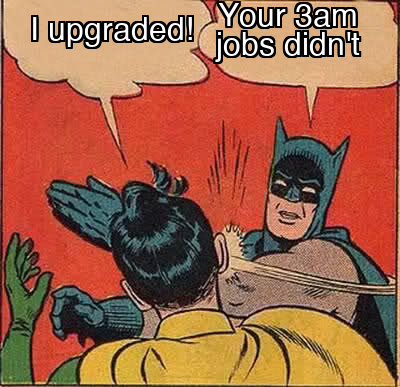
I moved my chat window by lunch on launch day. My night shift is still running last season's models.
The playbook: the re-seat
Operators: the September 4 upgrade gate taught you how to test a new model on one job. This one covers the whole fleet: how to find every job that should move after a launch week like this one, how to move each without breaking it, and how to prove the move saved money. Hand it to your agent as written. It's built to be followed step by step.
The idea
When a launch week hits, every AI job you run is sitting in a seat that was right on the day you set it up. The re-seat is a scheduled review, not a reaction to the news. For each job: find the model it actually runs, decide what seat it deserves based on what a wrong answer costs, check the new model's breaking changes, test it, switch it, and write it down. Most jobs will end up on a cheaper model. A few will move up. Some will stay put, and "no change, tested" counts as a result.
Step 1: The census (find every model string)
You can't re-seat what you can't find. Model names live in different places depending on the tool. Here is where to look in the harnesses most of you run:
| Where the job lives | Where the model is set | What to watch for |
|---|---|---|
| Hermes scheduled jobs | hermes cron list shows each job; jobs without an explicit model inherit your default model from config.yaml |
Jobs with no model set follow your default. When you change your default, every one of them moves at once, for better or worse. Change one job with hermes cron edit <job_id> --model <name> |
| Codex (desktop) | The model picker per session | OpenAI's Sep 22 note: "Codex desktop keeps the model you selected manually." A job you pinned won't move to GPT-6 Sol on its own |
| Claude Code | /model in session, or the model setting in your settings file |
Scheduled or scripted runs use whatever model the script passes, not what your chat uses |
| ChatGPT (Chat vs Work) | Model menu | GPT-6 Sol and Luna are in Work and Codex only; Chat is still GPT-5.6 |
| Zapier, Make, n8n AI steps | Each AI step's model dropdown or model ID field | Every step is pinned to its own model. A 30-step workflow can have 30 separate model settings |
| Custom scripts or apps someone built for you | The model value in the code or its config |
Ask the builder. If nobody knows, that's finding number one |
Record each job in a single table: job name, what it does, how often it runs, current model, current effort setting if there is one, who set it up.
If you run Hermes, you can pull a full census from your own logs. Here's the question I asked mine this morning: "Group every scheduled run since the launches by model, count runs and tokens, and show me which jobs never touched a model released this week." It took about a minute and gave me the numbers in the bench.
Step 2: Seat each job by what a wrong answer costs
This is the routing label from August, applied to this week's price table. Put every job in one of three seats:
| Seat | What belongs here | This week's candidates | Rough cost of a 3,000-in / 1,000-out task |
|---|---|---|---|
| Routine (wrong is cheap: someone catches it, or it doesn't matter) | Sorting, tagging, summaries, status checks, internal notes, agent-to-agent chatter | GPT-6 Luna ($0.10/$0.50), Grok 4.7 at a low or high setting ($2/$6) | Luna: under a tenth of a cent |
| Working (wrong costs time: a person redoes it) | First drafts of customer replies, quotes for review, research briefs, most scheduled reviews | GPT-6 Sol ($2/$10), Opus 5.5 at medium ($4/$20) | Sol: about 1.6 cents. Opus 5.5: about 3.2 cents |
| Stakes (wrong costs money or a customer) | Anything that sends, spends, commits, or files without a person reading it first | Opus 5.5 at high, Fable 5.1 or GPT-6 Astra ($10/$50) | Flagship: about 8 cents |
Those per-task figures are list-price math only. Step 4 is where you swap in real numbers, because this week's whole lesson is that token usage per task moves as much as the price does.
The rule that would have saved me: a job's seat is set by the cost of a wrong answer, not by the job's importance to you. My server health check matters to me, but a wrong answer there costs nothing: the next run fixes it thirty minutes later. It belongs in the routine seat. It was sitting in the stakes seat.
Step 3: The breaking-change check (before you touch anything)
For every job that's moving to a new model, check the vendor's migration notes against how that job calls the model. This week's list:
Moving to Claude Opus 5.5 (from Anthropic's what's-new page): - Any setting that turns thinking off, or sets a fixed thinking budget, now returns an error. Remove it and use the effort setting. - Forced tool use (tool_choice set to any or a specific tool) now returns an error. Use auto. - Default effort is medium. If your job never set an effort level, it will now think less than it did on Opus 5. Test at medium first. If quality drops, set high explicitly. - Refusals come back as a success response with stop_reason: "refusal". Your job must check for that and send it to a person or a fallback. Otherwise it will treat a refusal as a finished job. - If your app shows users progress text while the model works, that text now arrives in a different place and goes quiet by default. The migration guide has the fix. - Don't switch models mid-conversation on a running job. Anthropic says thinking from one model can't be read by another and is silently dropped.
Moving to GPT-6 Sol or Luna: - These are only in Work and Codex on ChatGPT plans. In the API they're gpt-6-sol and gpt-6-luna. - OpenAI's caching update says changing or reordering your tool list breaks the cache. Keep the start of your prompt the same between runs and add new instructions at the end. Scheduled jobs that rebuild their prompt differently each run pay full price every time.
Moving to Grok 4.7: - Default reasoning effort is high. Test at that setting before you try xhigh. The token usage gap between the two is where the "$20 in four prompts" stories come from. - Anything using X Search is now billed per post fetched, not per search. Put a limit on how much a single run can fetch.
Any vendor: if the model name in your settings is an alias like "latest," it may already have moved on its own. Pin a specific version for any job in the working or stakes seat so the model only changes when you change it.
Step 4: The test (five known answers, cost per job, not per token)
Use the five-task test set from the September 4 upgrade gate. If you haven't built one yet, this is the week. For each job that's moving:
- Run the five tasks on the current model and on the candidate model, same inputs, same effort setting.
- Score each one: correct or not, and cost per task from the usage numbers (tokens in, tokens out, cached tokens, all at the real price). This is the number that decides it. Grok 4.7 and Opus 5.5 both showed this week that a lower sticker price can still cost more per task.
- Run one task at one effort setting lower. For routine and working seats, the lower setting is often good enough and is the cheapest cut you can make.
- Run the missing-information test: take out one instruction the job needs and see whether the model stops and asks or makes something up. For stakes-seat jobs, stopping is the correct behavior.
Pass rule: the candidate matches or beats the current model on correctness and costs less per task, or costs more but moves the job up to a seat it truly needs. Anything else: no change, and write down why. The developer whose new Luna scored 30 out of 36 against the old one's 33 made exactly the right call by staying put. This week's new model is not automatically your next model.
Step 5: Switch one job at a time, and watch the first three runs
Switch one job. Let it run three times. Read all three outputs, not just the status. A refusal that looks like success, a quiet progress stream, or a job that just did less work won't show up as an error. Then move to the next job. Moving your whole fleet in one afternoon is how you end up with a hundred jobs that changed behavior and no idea which change did it.
Step 6: The re-seat record
One line per job, kept in the same place as your upgrade-gate records:
- Date, job, old model and effort, new model and effort.
- Seat (routine, working, stakes) and the reason in one sentence.
- Breaking-change check: what was changed in the settings, if anything.
- Test: five tasks correct or not, cost per task old vs new, missing-information behavior.
- First three runs after the switch: read and OK, with the date.
- Decision: moved, moved seat, or no change (tested).
The next launch week, which at the current pace is next month, you start from this record instead of from zero.
Hand this to your agent
Paste this as written. It assumes your agent can read your scheduled jobs and your settings. If it can't, it will tell you what it needs.
Run a model re-seat on every AI job I have that runs without me.

1. Census. Find every scheduled job, automation, bot, and AI step you can see.
   For each, report: name, what it does, how often it runs, the exact model it
   runs on (not the vendor), effort setting, and where that setting lives.
   If a job inherits a default model, say so and name the default. If you
   cannot see a job's model, list it as UNKNOWN and tell me where to look.

2. Seat. Put each job in one seat by the cost of a wrong answer:
   ROUTINE (wrong is cheap or caught), WORKING (wrong costs a person's time),
   STAKES (wrong costs money or a customer; it sends, spends, or commits
   without a human reading it). Give one sentence of reasoning per job.

3. Flag mismatches. List (a) any job on a flagship model ($10/$50 per million
   tokens or above) sitting in the ROUTINE seat, (b) any STAKES job on a
   routine-tier model, and (c) the three jobs that run most often, with the
   cheapest model from this week's table that fits their seat.

4. Do not change any model setting yet. For the top three candidates, write
   the breaking-change checklist for their target model from the vendor's
   current migration notes (fetch them, do not work from memory), and propose
   a five-task test with known answers drawn from each job's real past output.

5. Report back as a table: job, current model, seat, proposed model, expected
   cost per run now vs after (show your math and where the token counts came
   from), breaking changes that apply, and the test you propose.
   I will approve each switch individually.
Step 4 in that prompt is on purpose. Your agent should find the mismatches and do the math. You approve each switch. A re-seat that your agent applies across the whole fleet at once is the same mistake as upgrading everything on launch day, just faster.
What not to do
- Don't re-seat on benchmark charts. Every chart this week came from the vendor that won it, and the one number that matters for you, cost per task on your own work, isn't on any of them.
- Don't set every job to "latest." You'll get the upgrades automatically, along with the breaking changes and the effort-default changes, and no record of when your jobs started acting differently.
- Don't move a stakes-seat job down to save money until it has passed the missing-information test. A cheap model that guesses on a customer's invoice costs more than the flagship ever did.
- Don't forget to write down the jobs that stayed put. "No change, tested" is how you know you already looked.
Steal this: tonight, run the census prompt and do nothing else. Just look at the table. Mine turned up a flagship doing a status check, a job two versions behind, and the busiest job on my desk missing a price cut from Tuesday. It took ten minutes to find and would have cost me every month it stayed hidden.
Hit reply and tell me what's on your bench this week. I read every one.